
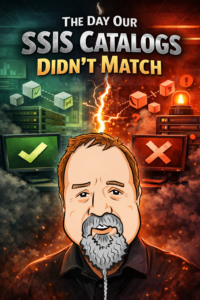
I knew what I was doing.
I wrote the lifecycle management chapter in the Wrox SSIS 2005 book.
I implemented SSIS lifecycle management at Unisys.
We’d done everything by the book. Well, by the books. This book and this book.
In 2013, I led a team that designed an SSIS project that included over 300 packages. We designed Data Integration Lifecycle Management enterprise environments comprised of four DILM tiers: Dev, Test, QA, and Prod. We overcommunicated regarding features and bugs. We managed separation of concerns. We checked almost every box.
The deployment to production was planned over a weekend. The team was onsite. We backed up Production, grabbed the latest SSIS project versions and scripts from source control, and began executing the deployment plan.
The plan included test executions of SSIS-based processes as we rolled out.
Within the first set of tests, we identified missing parameters. So we added those parameters and soldiered on.
The second set of tests revealed more unexpected results.
A package failed. Not a dramatic failure, just enough to stop
Someone said, “That worked in QA.”
We had a problem.
Two hours into a deployment scheduled to take 8-40 hours, the enterprise data architect turns to me and asks:
“How can we know our SSIS Catalog in QA matches the SSIS Catalog in Production?”
I opened my mouth, but no words came out.
I closed my mouth.
Right then and there I decided to close this loop.
What was needed was simple to describe and hard to do:
- A way to compare SSIS Catalogs across environments
- A way to see exactly what changed
- A way to act on those differences before deployment
Not after something breaks.
Before.
In my mind, I began designing the Data Integration Lifecycle Management Suite that very day.
The Realization
Kent Bradshaw and Kevin Hazzard joined the effort. Together we realized…
SSIS is not the problem.
The absence of lifecycle management is.
If you have ever had a deployment go sideways because environments were “almost” the same, you already understand the cost.
The Result: DILM Suite Bundle

Once you have visibility, things change:
- Deployments get quieter.
- Troubleshooting gets faster.
- Confidence comes back.
You stop guessing.
You start knowing.
Conclusion
The DILM Suite Bundle brings together SSIS Catalog Compare, DILM Deployment Utility, and SSIS Framework so your team can control all aspects of the SSIS lifecycle: how changes move and how production execution runs.
Until you can see what is different between environments, you do not have control.
You have assumptions.
SSIS Catalog Compare is where visibility starts.
From there, you can build repeatable deployments and manage controlled promotion using DILM Deployment Utility.
SSIS Framework completes the hat trick with reliable execution.
That is what lifecycle management looks like.

Comments