

Back in June 2024, I announced I was changing the way I report updates to the SQL Server Integration Services extension for Visual Studio (in a post titled SSIS Extension Updates – Jun 2024). I have a calendar reminder that reminds me to check the links every quarter, and that reminder did its job admirably earlier this month, but I was heads down building updates to SSIS Catalog Compare and SSIS Framework for the Data Integration Lifecycle Management Suite.
Speaking of DILM Suite, I was building a fresh set of demo projects in Visual Studio 2026 Insiders Community Edition, preparing to do battle with the deployment process, when I noticed an update to the SSIS 2022+ extension.
There Are Two Integration Services Extensions
In 2024, the Microsoft SSIS team forked the Integration Services extension into pre-2022 and 2022+ versions.
Since that time, there haven’t been many updates to the pre-2022 version.
Given there are no new updates to the pre-2022 extension at this time, I decided not to report on that version.
If the Microsoft SSIS Team updates the pre-2022 extension in the future, I’ll include a section describing the update. But for now, I’ll simply include the link.
Extension Page Links
The links to each extension are:
SSIS 2022+: https://marketplace.visualstudio.com/items?itemName=SSIS.MicrosoftDataToolsIntegrationServices
SSIS Pre-2022: https://marketplace.visualstudio.com/items?itemName=SSIS.SqlServerIntegrationServicesProjects&ssr=false#overview
SSIS 2022+ Update
A new update is available for the SQL Server Integration Services Projects 2022+:
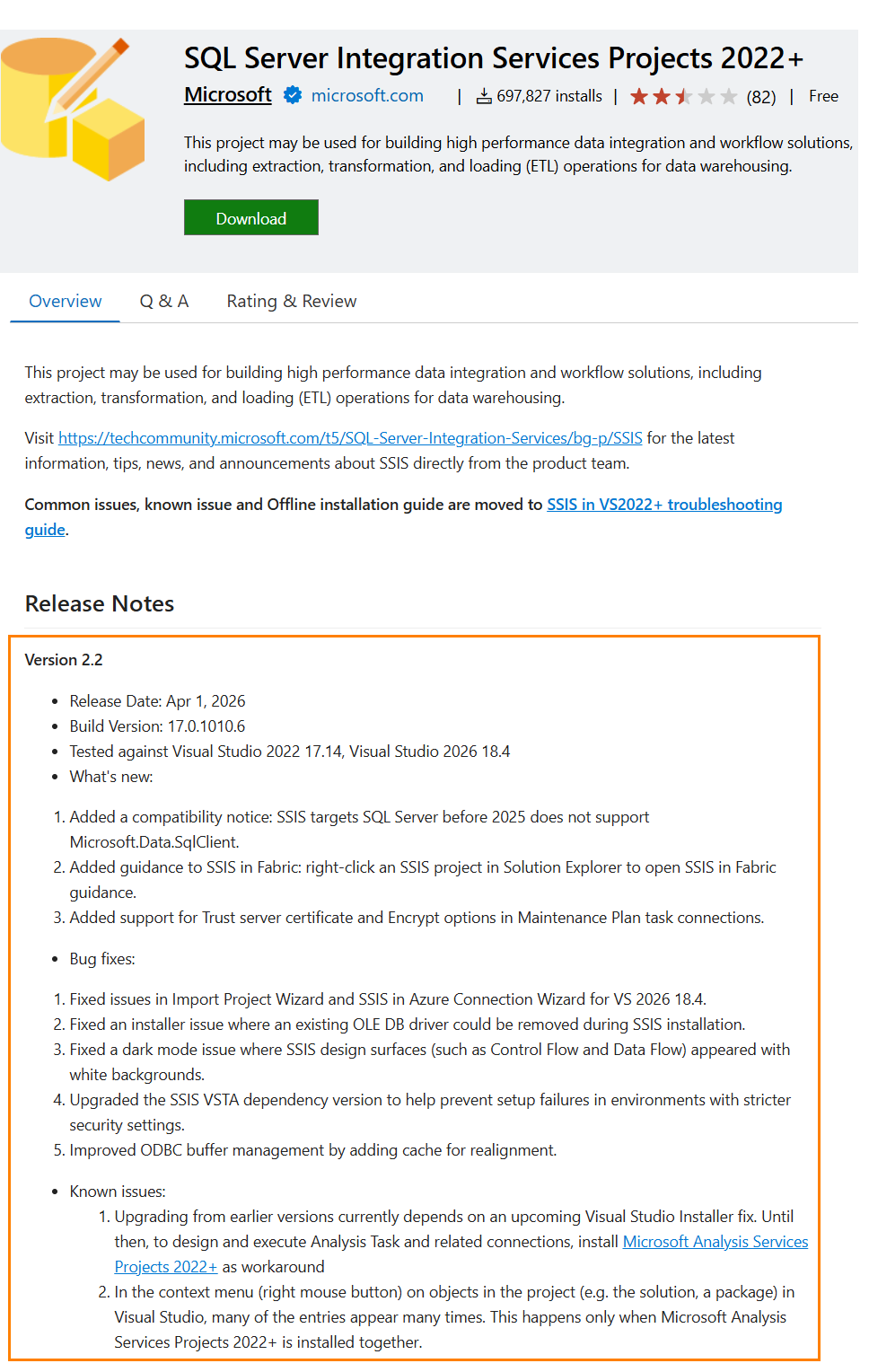
The latest update is version 2.2, released 1 Apr 2026.
Bug fixes:
- Fixed issues in Import Project Wizard and SSIS in Azure Connection Wizard for VS 2026 18.4.
- Fixed an installer issue where an existing OLE DB driver could be removed during SSIS installation.
- Fixed a dark mode issue where SSIS design surfaces (such as Control Flow and Data Flow) appeared with white backgrounds.
- Upgraded the SSIS VSTA dependency version to help prevent setup failures in environments with stricter security settings.
- Improved ODBC buffer management by adding cache for realignment.
Known issues:
- Upgrading from earlier versions currently depends on an upcoming Visual Studio Installer fix. Until then, to design and execute Analysis Task and related connections, install Microsoft Analysis Services Projects 2022+ as workaround
- In the context menu (right mouse button) on objects in the project (e.g. the solution, a package) in Visual Studio, many of the entries appear many times. This happens only when Microsoft Analysis Services Projects 2022+ is installed together.
Conclusion
Lots of enterprises continue to use SSIS – especially for on-premises data engineering. In a recent conversation with Enterprise Data & Analytics data engineers, we surmised SSIS may likely remain available for as long as SQL Server is supported on-premises.
It’s a guess, yes; but an educated and somewhat informed guess.
Ivan Peev and I had a recent conversation about the state and future of SSIS. You can view a video of the livestream here. Ivan is founder of COZYROC, a third-party SSIS controls vendor, and creator of the SSIS+ Component Suite. COZYROC is a member of the DILM Integration Circle.

Comments